
Key Takeaways
- Connecting dispatch, invoicing, and payments means a completed job flows straight into an invoice and a payment request, so no one is retyping job details back at the office.
- The reliability comes from generating the invoice from the job record itself and collecting payment at close-out, not from working faster at each disconnected step.
- The failures to design against are jobs that never get invoiced, invoices that don’t match what was actually done, and payments that are collected but never reconciled against the job.
Table of Contents
- What Does Connecting Dispatch, Invoicing, and Payments Actually Mean?
- Why Do Home Services Businesses End Up With Disconnected Tools?
- How Does the Connected Flow Work From Job to Payment?
- Which System Should Own Each Step?
- Manual Handoffs vs a Connected Flow: Which Fits?
- How Do You Handle Job Changes, Partial Payments, and Field Edits?
- What Mistakes Do Teams Make Connecting Dispatch, Invoicing, and Payments?
- Frequently Asked Questions About Connecting Dispatch, Invoicing, and Payments
- Is Connecting Dispatch, Invoicing, and Payments Worth It for Your Team?
What Does Connecting Dispatch, Invoicing, and Payments Actually Mean?
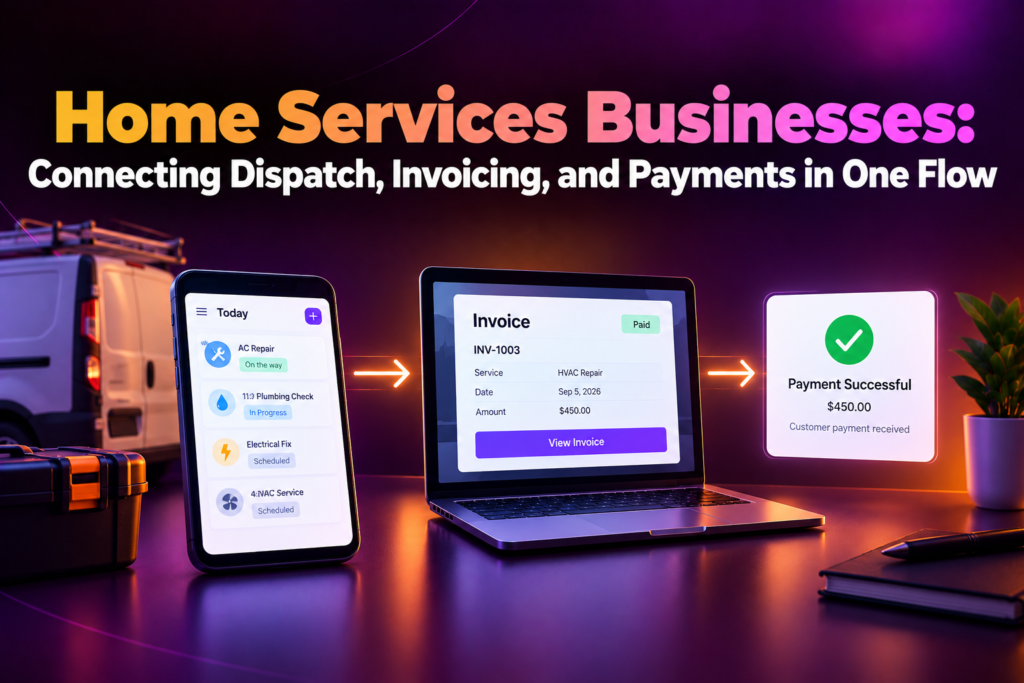
Connecting dispatch, invoicing, and payments means a job scheduled in your dispatch software flows straight through to an invoice and a payment request without anyone re-entering what happened, so the details a technician records in the field are the same details that show up on the bill. It’s a single thread running from the moment a job is booked to the moment it’s paid.
The three pieces track overlapping but different stages of the same job. Dispatch holds the assignment: who’s doing the work, where, and when. The job record holds what actually happened: parts used, time on site, and any changes from the original scope. Invoicing and payments hold what’s owed and what’s been collected. Connecting them means a technician closing out a job on their phone is what creates the invoice, rather than a separate step someone does later from memory or a paper ticket.
The everyday version: a technician marks a job complete on a tablet, the invoice generates with the parts and labor actually used, and the customer can pay on the spot, all before the technician has left the driveway.
Why Do Home Services Businesses End Up With Disconnected Tools?
Home services businesses end up with disconnected tools because dispatch, invoicing, and payments are often bought separately, at different points as the business grew, and nothing forces them to share information automatically. Dispatch software gets picked for scheduling technicians; invoicing gets picked for billing; payments get bolted on wherever it’s easiest to accept a card.
The gaps are usually mundane. A technician’s paper ticket sits in a truck for two days before anyone enters it into invoicing. A job’s scope changes on-site, but the invoice reflects the original estimate because no one updated it. A customer pays in the field, but the payment never gets matched to the invoice in the office system. Each gap is small on its own, and together they’re why a business can complete good work and still struggle to get paid promptly for it.
Our integration services team sees the same root cause in most home services back offices: job details that are accurate in the field and billing details that are accurate in the office, with a paper ticket or a phone call expected to carry information between the two.
How Does the Connected Flow Work From Job to Payment?
The connected flow works by treating job completion as the trigger for everything downstream, so an invoice is generated from what actually happened on the job and a payment request follows immediately. The build follows a consistent sequence:
- Capture the job in the field. Have the technician record parts used, time on site, and any scope changes directly in the field app, not on paper for someone else to transcribe.
- Generate the invoice from the job record. Create the invoice automatically from what the technician actually recorded, including any changes from the original estimate.
- Request payment at close-out. Offer payment as part of finishing the job, whether that’s a card on file, a link sent to the customer, or an on-site payment device.
- Apply the payment to the job. Match the payment back to the specific job and invoice it was for, so nothing is left to reconcile later.
- Update dispatch and reporting. Reflect the job as paid across scheduling and reporting views, so office staff can see collection status without opening a separate system.
Our team runs every home services integration through this sequence, with field capture and payment collection agreed before the flow is automated.
Which System Should Own Each Step?
Dispatch software should own the job assignment and schedule, the field app or job record should own what actually happened on-site, and invoicing should own what’s billed and collected, so each piece contributes its own layer of truth rather than competing to describe the same job. Deciding this up front is what keeps the flow from producing invoices that don’t match reality.
In practice, dispatch is authoritative for who was assigned and when. The job record is authoritative for what was actually done, which may differ from what was originally scheduled. Invoicing is authoritative for what’s owed and paid, generated from the job record rather than from the original dispatch assignment. Payments then update the invoice, and that status flows back to dispatch and reporting.
The edge worth naming is a job that changes scope after the technician arrives, like an additional repair discovered on-site. Because the job record owns what actually happened, that addition should be captured there and flow into the invoice automatically, rather than requiring office staff to manually adjust the bill after the fact.
Manual Handoffs vs a Connected Flow: Which Fits?
Manual handoffs rely on someone moving job details from the field into invoicing and payments by hand; a connected flow generates the invoice from the job record itself and requests payment as part of closing the job. Most home services businesses running any real job volume need the connected flow, but manual handoffs can work for a very small operation. The table below shows where each fits.
| Aspect | Manual Handoffs | Connected Flow |
| Job to invoice | Office staff re-enters job details after the fact | Completed job generates the invoice automatically |
| Field updates | Technician notes stay on paper or a separate app | Job notes and changes flow into the invoice directly |
| Payment collection | Invoiced separately, followed up on manually | Payment requested and collected as part of job close-out |
| Speed to get paid | Days to weeks after the job is done | Often same day, sometimes on-site |
| Best for | Very low job volume with simple pricing | Any team running multiple jobs a day or variable pricing |
| Example | A tech’s paper ticket is typed into invoicing days later | Closing a job on a tablet creates and sends the invoice on the spot |
How Do You Handle Job Changes, Partial Payments, and Field Edits?
You handle job changes by making the invoice reflect the job record at the time of close-out, not the original estimate, so an added repair or a longer-than-expected job shows up correctly on the bill without a manual adjustment.
Partial payments need to apply against the specific invoice, with the remaining balance staying visible to both the office and the customer. A deposit taken at booking and a balance collected at completion should both trace back to the same job, not look like two unrelated transactions.
Field edits are where the connected flow earns its value. When a technician updates parts or hours on-site, that edit should flow into the invoice before it’s sent, not after a customer has already questioned a charge that didn’t match what they saw done. Tagging every edit with the job ID is what keeps the invoice, the payment, and the technician’s field notes all pointing at the same record.
What Mistakes Do Teams Make Connecting Dispatch, Invoicing, and Payments?
Generating invoices from the schedule instead of the job record.
Billing off what was originally dispatched, rather than what the technician actually did, produces invoices that don’t match the work performed.
Collecting payment as a separate, later step.
Waiting until after the job to request payment turns a simple on-site collection into a follow-up call, an emailed invoice, and a delay in getting paid.
No shared job ID across systems.
Without one identifier connecting the dispatch record, the job notes, the invoice, and the payment, matching a payment back to the right job becomes a manual search.
Leaving field edits on paper.
Scope changes recorded on paper instead of in the field app don’t make it into the invoice until someone manually transcribes them, if they make it in at all.
Not tracking partial payments against the job.
A deposit and a final payment that aren’t linked to the same job record make it hard to know what’s actually still owed.
Building it without monitoring.
An unwatched flow fails quietly, and the first sign is usually a completed job that was never invoiced, discovered weeks later during a review of unpaid work.
Frequently Asked Questions About Connecting Dispatch, Invoicing, and Payments
What does connecting dispatch, invoicing, and payments mean?
It means a completed job flows directly into an invoice and a payment request, using the details a technician recorded in the field rather than information re-entered later.
Why do home services businesses end up with disconnected tools?
Because dispatch, invoicing, and payments are often bought separately as a business grows, and nothing automatically shares job details between them.
How does the connected flow work from job to payment?
The technician captures the job in the field, the invoice generates from that record, payment is requested at close-out, and the payment is applied back to the specific job automatically.
Which system should own the job details?
The field app or job record owns what actually happened on-site, which the invoice is generated from, separate from what was originally scheduled in dispatch.
Is a connected flow necessary for a very small operation?
Manual handoffs can work for very low job volume with simple pricing. A connected flow becomes worthwhile once a business runs multiple jobs a day or has variable pricing.
How are scope changes handled if the job differs from the original estimate?
The invoice is generated from the job record at close-out, so an added repair or extra time shows up correctly without a manual adjustment after the fact.
How are partial payments and deposits tracked?
Both apply against the same job record, so the remaining balance stays accurate and visible to the office and the customer at every stage.
Can payment be collected on-site?
Yes. Payment can be requested as part of closing the job, whether through a card on file, a payment link, or an on-site payment device.
What dispatch, invoicing, and payment tools can be connected?
Most modern field service, invoicing, and payment platforms, as long as each can share job and payment data through their own systems.
What’s the first step to setting this up?
Agree how technicians capture job details in the field, how invoices are generated from that record, and how payment is requested at close-out. A short scoping call usually settles those decisions.
Is Connecting Dispatch, Invoicing, and Payments Worth It for Your Team?
If your technicians complete jobs in the field and your office handles invoicing and payment collection separately, yes. Connecting the three means a completed job becomes an accurate invoice and a fast payment, instead of a paper ticket working its way through several manual steps before anyone gets paid.
The exception is narrow. If a business runs very few jobs with simple, unchanging pricing, manual handoffs may still be manageable. Most home services businesses pass that point as soon as job volume grows or pricing varies job to job.
For everyone else, the real question isn’t whether a completed job should turn into an invoice and a payment. It’s whether that happens automatically, from what actually occurred on-site, or by someone piecing it together from a paper ticket days after the work is already done.
Ready to see how your dispatch, invoicing, and payments should connect into one flow? Book a scoping call and get a job-to-payment mapping sheet before you commit to anything.
