
Key Takeaways
- A sync that runs cleanly in testing can still fail in production if no one has checked how it behaves under real-world conditions like duplicate records, rate limits, and partial failures.
- Most go-live problems trace back to a handful of unverified assumptions about data ownership, error handling, and what happens when one side of the sync is temporarily unavailable.
- The strongest safeguard is a checklist that’s reviewed before launch, not a debugging session after the sync has already started moving bad data between systems.
Table of Contents
- What Does “Going Live” Actually Mean for a Sync?
- Why Do Syncs That Pass Testing Still Fail in Production?
- The 10 Things to Verify Before Going Live
- Checklist Review: In-House QA vs an Integration Partner
- How Do You Know the Checklist Is Actually Complete?
- What Mistakes Do Teams Make Before Launch?
- Frequently Asked Questions About Pre-Launch Sync Checks
- Is a Formal Go-Live Checklist Worth the Extra Step?
What Does “Going Live” Actually Mean for a Sync?
Going live with a sync means the connection between two systems starts moving real data on a real schedule, not just sample records in a sandbox. Up to that point, everything is reversible. After that point, bad data can propagate into both systems before anyone notices.
The distinction that matters is between a sync that works and a sync that’s ready. A sync that works moves data correctly under the conditions it was tested against. A sync that’s ready has been checked against the conditions it wasn’t specifically built for: a missing field, a duplicate webhook, a system that’s briefly offline. Most go-live checklists exist to close that gap.
The everyday version: three weeks after launch, one platform sends a batch of records with a field format no one anticipated, and the question isn’t whether the sync was built well, it’s whether anyone checked how it would handle exactly this kind of surprise.
Why Do Syncs That Pass Testing Still Fail in Production?
Syncs that pass testing still fail in production because test environments are clean by design, and production data almost never is. Real systems contain duplicate entries, inconsistent formatting, and edge cases that a curated test dataset doesn’t surface.
The gaps tend to repeat across projects. A sync is tested with a handful of records, then goes live against a dataset thousands of times larger, and a rare edge case appears far more often than expected. A sync is tested with both systems online and responsive, but production traffic includes moments when one system is slow or temporarily down. A sync is tested by the people who built it, who unconsciously avoid the inputs that would break it.
Our integration services team sees this pattern often when a business brings us in after a rocky launch: the sync worked in the demo, but nobody had walked through what would happen with duplicate records, a rate limit, or a dropped connection, and those gaps only surfaced once real traffic hit the system.
The 10 Things to Verify Before Going Live
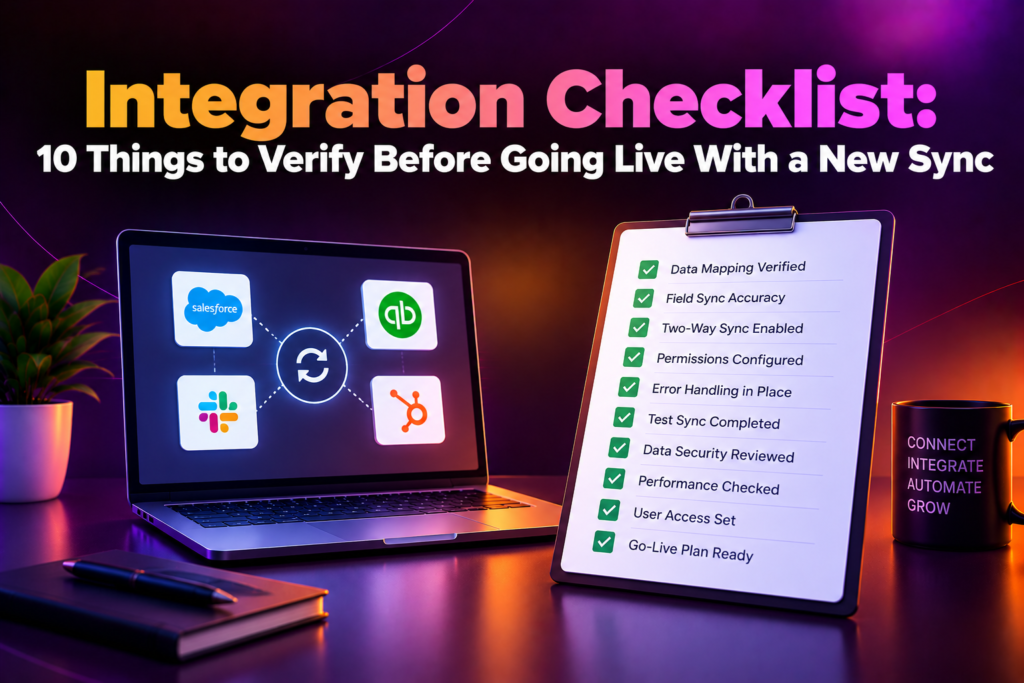
These ten checks cover the situations that most commonly cause a sync to misbehave after launch. Each one is worth a direct, specific answer before the sync starts moving real data.
- Which system owns each field, and what happens when both systems try to update the same record at the same time?
- What happens when a record is missing a required field or arrives in an unexpected format?
- How does the sync handle duplicate records or duplicate webhook deliveries?
- What’s the retry behavior when a request fails, and is there a limit that prevents endless retries?
- What happens if one of the connected systems is temporarily unavailable or slow to respond?
- Is there monitoring or alerting in place to catch a failure quickly, or would a break go unnoticed?
- Has the sync been tested against a realistic volume of data, not just a small sample set?
- Is there a rollback plan if the sync starts moving incorrect data into either system?
- Who is responsible for watching the sync during the first few days after launch?
- Is there documentation that explains how the sync works, so a change six months from now doesn’t require reverse-engineering it?
A sync with clear, specific answers to all ten is ready for real traffic. A sync with vague or assumed answers to several of them is a launch that’s likely to need urgent attention within its first few weeks.
Checklist Review: In-House QA vs an Integration Partner
Reviewing the checklist internally keeps the process within a team that already knows the business context; bringing in an integration partner adds a perspective shaped by having seen syncs fail in ways a single team might not anticipate. The table below shows where each approach tends to fit.
| Aspect | In-House QA Review | An Integration Partner |
| Familiarity with the business | Deep, since the team already knows the systems and data | Built up during scoping, but strong on integration patterns generally |
| Edge-case coverage | Limited to failure modes the team has already encountered | Broader, from having reviewed many similar syncs before |
| Time to complete | Depends on the team’s other priorities and availability | Often faster, since the checklist process isn’t new to them |
| Documentation habits | Varies by team and individual | Should be a defined part of the review, not an afterthought |
| Best for | Teams with spare capacity and deep system familiarity | Teams that want a second, experienced set of eyes before launch |
Businesses that bring our integration services team in before launch usually do it either as a second review of a sync they built internally, or because the sync itself was built by an outside partner and they want an independent check before it goes live.
How Do You Know the Checklist Is Actually Complete?
You know the checklist is complete when every item has a specific, tested answer rather than an assumed one. “It should be fine” and “we haven’t seen that happen” are both signs that an item hasn’t actually been verified.
A useful test is to walk through each of the ten items and ask who would be able to answer a follow-up question about it during an incident, at 9 p.m., without the person who built the sync available. If the answer is unclear, the item isn’t done, even if the sync technically works today.
It also helps to run the sync against a realistic data sample before launch, not just a clean one, and to watch what happens when a field is missing or a record is duplicated. Watching the failure happen in a controlled setting is far more informative than reading a description of how it’s supposed to behave.
What Mistakes Do Teams Make Before Launch?
Testing only the happy path.
A sync that’s only ever been tested with clean, complete records hasn’t really been tested against what production will actually send it.
Assuming monitoring will catch problems automatically.
Without alerting configured for specific failure conditions, a sync can be quietly moving bad data for days before anyone notices.
Skipping a volume test.
A sync that performs well with ten records can behave very differently with ten thousand, and that difference often doesn’t show up until launch.
Leaving rollback undefined.
Without a plan for reversing bad data, the first serious issue after launch turns into an improvised fix under pressure.
Not assigning a clear owner for the first week.
A sync with no one specifically watching it right after launch is a sync where early problems are found later than they should be.
Treating documentation as something to write later.
Documentation written after launch, once memory of the details has faded, is rarely as accurate as documentation written while the sync is still fresh.
Frequently Asked Questions About Pre-Launch Sync Checks
What’s the most important thing to verify before going live with a sync?
How the sync handles data it wasn’t specifically built for, such as duplicate records, missing fields, and a temporarily unavailable system, since these are what typically cause trouble after launch.
Why do syncs that pass testing still fail once they’re live?
Because test environments are cleaner than production data, and issues like duplicate records or unexpected formats often don’t appear until real traffic hits the sync.
What should a pre-launch checklist actually cover?
Data ownership, error and retry handling, duplicate and failure scenarios, monitoring, volume testing, rollback planning, ownership after launch, and documentation.
Should checklist review be done in-house or with an integration partner?
It depends on whether the team has both the time and the range of prior experience to catch edge cases on its own. Many teams use a partner as a second, experienced review before launch.
How do you know a checklist item is really finished, not just assumed?
If someone other than the original builder can answer a specific question about that item without guessing, it’s likely finished. If not, it needs another look.
What’s the biggest mistake teams make before launch?
Testing only the happy path, so the sync has never been exposed to the messy, incomplete, or duplicate data it will eventually receive in production.
Is monitoring necessary if the sync has been tested carefully?
Yes. Careful testing reduces the chance of a failure, but monitoring is what catches the failure quickly if one still happens after launch.
What happens if documentation is skipped before launch?
A future change to the sync ends up requiring someone to reverse-engineer how it works, which takes longer and is more error-prone than working from documentation written at build time.
Who should own the sync during its first week live?
Someone specific, named in advance, rather than an assumption that whoever is available will notice if something goes wrong.
What’s the first step to building a go-live checklist?
List the ten verification points above against your specific sync, and get a direct, specific answer for each one before scheduling the launch.
Is a Formal Go-Live Checklist Worth the Extra Step?
If a sync is going to move real data between systems your business depends on, yes. A short delay to verify these ten points is far less disruptive than discovering the gaps after the sync is already live and moving data both systems rely on.
The exception is narrow. A very low-stakes, easily reversible sync between two low-traffic systems may not need the full checklist. Most syncs connecting core business systems don’t fall into that category.
For everyone else, the real question isn’t whether to run the checklist. It’s whether the gaps get found during a calm review before launch, or during an incident after the sync is already live.
Ready to make sure your next sync is actually ready before it goes live? Book a scoping call and get a go-live checklist tailored to your systems before you launch.
