
Key Takeaways
- A Zapier-free integration stack connects core systems directly through their own APIs, so business-critical data doesn’t depend on a third-party automation platform staying up and configured correctly.
- The decision isn’t native everywhere or middleware everywhere; it’s matching each workflow’s volume and importance to the approach built for it.
- The failures to design against are silent middleware breakages, rate-limit surprises, and logic buried in automations no one remembers building, all of which come from treating every integration the same way.
Table of Contents
- What Does a “Zapier-Free” Integration Stack Actually Mean?
- Why Do Teams Want to Move Away from Middleware?
- How Does a Native Integration Replace a Middleware Workflow?
- Which Integrations Should Stay on Middleware?
- Native Sync vs Middleware Sync: Which Fits?
- How Do You Handle Reliability, Monitoring, and Failures Without Middleware?
- What Mistakes Do Teams Make Going Zapier-Free?
- Frequently Asked Questions About Native and Middleware Integration
- Is Going Zapier-Free Worth It for Your Team?
What Does a “Zapier-Free” Integration Stack Actually Mean?
A Zapier-free integration stack means the connections between your core business systems are built directly against each system’s own API, rather than routed through a third-party automation platform sitting in between. It’s a shift in where the connecting logic lives, not a rule against automation tools altogether.
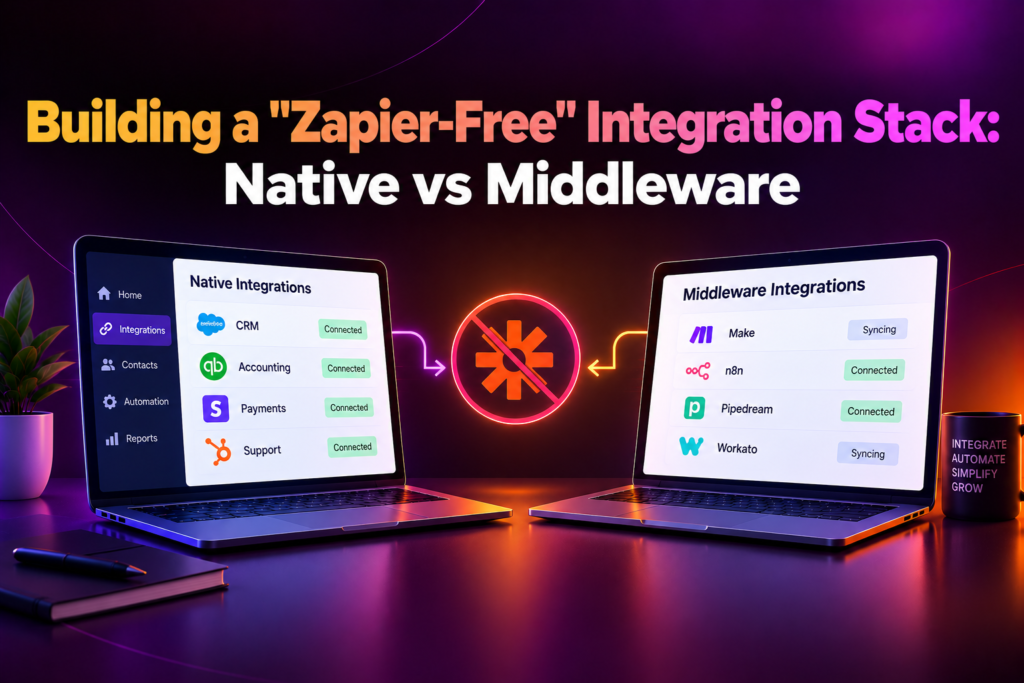
The two approaches solve the same problem differently. Middleware platforms watch for a trigger in one app and perform an action in another, without either app needing to know about the connection. A native integration has each system talk to the other directly, often with logic that understands both systems well enough to handle edge cases a generic automation step would miss.
The everyday version: instead of a new deal in the CRM triggering a middleware automation that creates a record in accounting, the CRM and accounting system exchange that data directly, with no third platform in between to check, pay for, or troubleshoot.
Why Do Teams Want to Move Away from Middleware?
Teams want to move away from middleware because as usage grows, the automation platform becomes a dependency in its own right, one that can throttle, change its pricing model, or quietly stop working without either connected system showing an error. What was fast to set up for a single workflow becomes a fragile layer once a business relies on dozens of them.
The gaps are usually mundane. A middleware automation hits a rate limit during a busy period and silently drops events. A step in the automation references a field that got renamed in one of the connected apps, and nothing alerts anyone. The person who built the automation leaves, and no one else understands the logic buried inside it. Each is small on its own, and together they’re why core workflows end up depending on a system nobody fully trusts anymore.
Our integration services team sees the same pattern in most middleware-heavy stacks: automations that worked fine at low volume become the least visible, least owned part of the stack once the business scales past what they were built for.
How Does a Native Integration Replace a Middleware Workflow?
A native integration replaces a middleware workflow by rebuilding the same handoff as a direct connection between the two systems’ APIs, with logic that lives in code your team owns instead of steps configured inside a third-party platform. The build follows a consistent sequence:
- Map the existing automation. Document exactly what the middleware workflow does today, including the edge cases it silently handles or silently misses.
- Confirm both APIs support it. Check that each system’s API can send and receive what the workflow needs, since not every middleware trigger has a clean native equivalent.
- Rebuild the logic directly. Write the integration against both systems’ APIs, handling the same conditions the middleware version did, plus the edge cases it didn’t.
- Run both in parallel. Keep the middleware version active while the native version runs alongside it, comparing outputs before switching over.
- Retire the middleware step. Turn off the automation only after the native version has proven reliable across a full business cycle, not just a few days.
Our team runs every native-migration project through this sequence, confirming the new integration handles every case the middleware version did before anything old is switched off.
A core workflow running on an automation no one fully understands is a risk waiting to surface. Get your integration stack audited before you decide what to replace.
Which Integrations Should Stay on Middleware?
Middleware should stay in place for connections that are low-volume, non-critical, or between systems that don’t justify custom integration work, so effort goes toward the workflows where reliability actually matters. Not every automation needs to become a native integration.
In practice, middleware is a reasonable long-term home for internal notifications, one-off data syncs, and connections to apps used by a small part of the team. Native integration earns its cost for anything that touches revenue, customer data at volume, or a workflow that breaking would be immediately visible to a customer.
The edge worth naming is a middleware workflow that started small and grew. A Slack notification for new signups is a reasonable use of an automation platform; the same trigger later feeding a billing system is a sign that workflow has outgrown the tool it’s running on, even though nothing about the setup technically changed.
Native Sync vs Middleware Sync: Which Fits?
Native sync connects two systems directly through their own APIs; middleware sync routes the connection through a third-party platform that watches for triggers and performs actions on both systems’ behalf. Most teams end up running both, using native sync for critical workflows and middleware for everything else. The table below shows where each fits.
| Aspect | Native Integration | Middleware Sync |
| Data path | Direct, system to system | Routed through a third-party platform in between |
| Latency | Near real time | Depends on the middleware’s polling or trigger schedule |
| Reliability | Fewer points of failure | An extra layer that can fail independently of either system |
| Flexibility | Built for the specific systems and logic involved | Fast to configure across many different apps without custom code |
| Best for | Core, high-volume, or business-critical workflows | Lower-volume workflows or apps without a direct integration option |
| Example | A CRM and billing system exchanging data through their own APIs | A form tool triggering a notification through an automation platform |
An integration stack built on our native API integration work already connects the systems that matter most directly, so deciding what else to migrate off middleware is mainly about ranking workflows by volume and business impact.
How Do You Handle Reliability, Monitoring, and Failures Without Middleware?
You handle reliability by building retries and error handling directly into the native integration, since without a middleware platform’s built-in run history, a failed request has nowhere to surface unless your own code logs it. This is the piece teams most often skip when they first move away from automation platforms.
Monitoring needs to replace what the middleware dashboard used to show for free. A native integration should log every attempt, flag failures, and alert someone when a workflow stops running, rather than failing silently the way an unwatched automation would.
Failures are where the native approach earns its keep or doesn’t. A direct integration can retry with backoff, queue events during an outage, and recover automatically in ways a generic automation step usually can’t. Building that resilience in from the start is what makes a native integration more reliable than the middleware it replaced, rather than just a faster version of the same fragility.
What Mistakes Do Teams Make Going Zapier-Free?
Migrating everything at once.
Replacing every automation in one push makes it hard to isolate what broke when something inevitably does, and delays value on the workflows that mattered most.
Skipping the parallel-run step.
Switching off the middleware version before the native one has proven itself across a full business cycle risks losing data during the transition.
No monitoring on the new integration.
A native integration without logging and alerting is often less visible than the middleware dashboard it replaced, not more.
Rebuilding only the happy path.
Middleware automations often quietly handle edge cases their builder forgot about; skipping those in the native rebuild reintroduces bugs the old system had actually solved.
Treating it as all-or-nothing.
Assuming every automation must become a native integration wastes effort on workflows that were never critical enough to justify the cost of custom code.
Building it without documentation.
A native integration is custom code, and without documentation it becomes exactly the kind of undocumented dependency the migration was meant to eliminate.
Frequently Asked Questions About Native and Middleware Integration
What does a “Zapier-free” integration stack mean?
It means core systems connect directly through their own APIs instead of through a third-party automation platform, reducing dependence on a layer neither system controls.
Why do teams move workflows off middleware platforms?
Because as volume grows, the platform becomes a dependency of its own, one that can throttle, change pricing, or fail silently without either connected system showing an error.
How do you replace a middleware automation with a native integration?
By mapping exactly what the automation does today, confirming both APIs support the same logic, rebuilding it as a direct connection, and running both versions in parallel before switching over.
Should every automation be replaced with a native integration?
No. Low-volume, non-critical connections are often fine staying on middleware. Native integration is worth building for workflows that are high-volume or business-critical.
What’s the risk of keeping a workflow on middleware too long?
A workflow that grows past what the platform was built for can fail silently, hit rate limits, or depend on logic no one on the team remembers configuring.
How is reliability handled without a middleware dashboard?
By building retries, error logging, and alerting directly into the native integration, so a failure surfaces the same way it would have on the automation platform, or better.
What happens during the migration from middleware to native?
Both versions run in parallel and their outputs are compared, so the middleware version isn’t retired until the native one has proven reliable across a full business cycle.
Does going native mean giving up automation platforms entirely?
No. Most teams keep using them for lower-volume or non-critical workflows and reserve native integration for the connections that matter most.
What systems benefit most from a native integration?
Any two systems exchanging high-volume or business-critical data, such as a CRM and an accounting platform, or a billing system and a payment gateway.
What’s the first step to auditing an existing stack?
List every middleware automation in use, rank them by volume and business impact, and decide which few are worth rebuilding first. A short scoping call usually settles those decisions.
Is Going Zapier-Free Worth It for Your Team?
If your business runs core, high-volume, or revenue-touching workflows through a middleware platform, yes. Moving those specific connections to native integrations reduces the number of things that can silently break between two systems you depend on.
The exception is narrow. If your automations are low-volume, non-critical, or connect apps most of the business rarely touches, middleware is often the right long-term home for them, not a temporary stopgap. Most businesses only need to migrate the small number of workflows that actually carry weight.
For everyone else, the real question isn’t whether to go entirely native or stay entirely on middleware. It’s whether each workflow is running on the approach built for its volume and importance, or on whatever was fastest to set up at the time.
Ready to see which parts of your integration stack should go native and which can stay on middleware? Book a scoping calland get a stack audit sheet before you commit to anything.
